Tap the small icon at the left end of the address bar (looks like "Aa" or a little page icon depending on your iOS version), then choose Request Mobile Website (sometimes labeled "Show Mobile Website") — this fixes sizing on some iPads.
PULSAR⚡ FIRE
🌙 Lunar Looters
Own a Piece of the Moon
Drive a rover across real NASA lunar terrain, survey for titanium, helium-3 and water ice,
and stake a claim in the Moon's land registry. Everything you build, own and discover is still there next time you log in.
When were you born? Choose the month and year. We use this only in your browser to check that you can create an account. It is not sent to us and not saved.
Mailing address (optional)
You can leave the whole address blank. You don't need it to play, and you can add, change or clear it later in My Profile.
We sent a link to . Open it to verify your address, and your player is created straight away.
No email? Check your spam folder. The link comes from the Lunar Looters sign-in service (Firebase).
👤 My Profile
Loading your profile…
Profile picture
Accept the Terms to upload a picture
First, when were you born? Choose the month and year. This is checked in your browser only; it is not sent to us and not saved.
PNG, JPEG or WebP, up to 10 MB. Pictures are visible to other players. Don't upload anything you wouldn't want public; inappropriate pictures get removed and can lose upload access. Your picture is resized and re-saved in your browser, which also removes hidden camera data such as location (EXIF).
Tip: don't use a photo of your face or anything that shows where you live. A drawing, logo or your rover works great.
Tip: don't use a photo of your face or anything that shows where you live. A drawing, logo or your rover works great.
Verify your address to get emails about your land.
We no longer ask for a mailing address from players aged 13 to 17. An address you saved earlier is still on file until you press "Clear My Name & Address" below.
Mailing address (optional)
🛠️ GARAGE
Select Vehicle
Armor Paint Scheme
Drivetrain Wheel Tech
Rover Accessories
📡 AntennaAlways Equipped
Parts Shelf
No spare parts sitting unused right now.
Spare parts can be sold on the Market (base wheels cannot, and paint is one-time use). Fees are burned: 2% to list, 8% when it sells.
Your Listings
🚁 HANGAR
Select Drone
Hull Paint Scheme
Sensor Payload
📷 Optical CameraAlways Equipped
Mounting either sensor unlocks the in-flight scan feature (F key).
Flight Destination
🧩 MODS
Mods are small community scripts that run only on your screen. Nothing runs until you approve it, each mod runs in an isolated sandbox with no access to your account, and every mod shows who made it. This is a best-effort sandbox, not a guarantee, so only enable mods from people you trust. Credits are self-declared by the mod author and are not verified.
Privacy: the mods bundled with this game load automatically from this site when you open the page, and nothing is enabled or run by that. A mod host you added by URL is contacted only when you press Scan, Add by URL or Review & enable, and when the game starts a mod you already enabled. Those requests let that host see your IP address and the time.
Cosmetics from mods (only you see these, for now)
This mod asks to:
It runs in an isolated sandbox with no access to your login, chat sending, payments, or the game itself. That protection is best-effort. The author name is self-declared and unverified. Only continue if you trust whoever made it.
🏪 MARKET
💰 --
Players sell spare parts here at a fixed price. Only parts on your Garage shelf can be listed, and a listed part waits in escrow until it sells, you cancel, or 7 days pass. Fees are burned: 2% to list (minimum 5, not refunded) and 8% when it sells. Credits cannot be withdrawn or cashed out. Paint is a one-time use item and is never for sale.
The market is closed right now
Nothing is wrong with your account. The market has not been switched on yet, or it is paused. Your parts and credits are safe, and a part you already listed can still be cancelled to bring it back to your shelf.
No listings match right now.
📋 MISSION BRIEFING
🕹️ Arrows to drive.
🎥 WASD to pan camera.
📱 Drag anywhere on mobile.
💎 Collect Cyan Gems.
🛠️ Press G to go to the Garage. Does nothing if you're already there. Pick a rover there to head back out.
💡 Press L to toggle headlights + taillights on/off.
🔍 Press I to zoom the camera in, O to zoom out.
📊 Press T to open the Telemetry window.
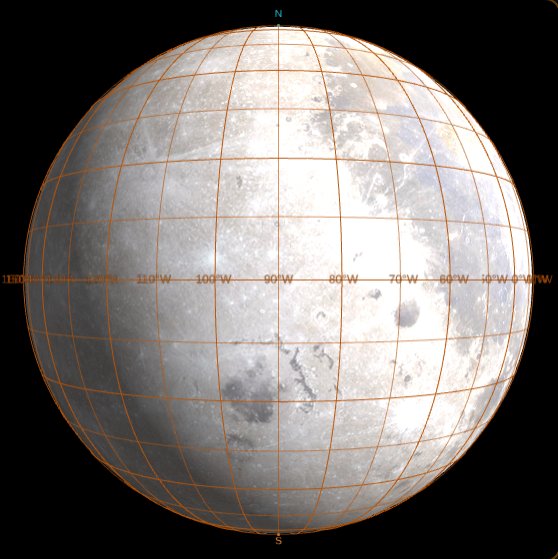
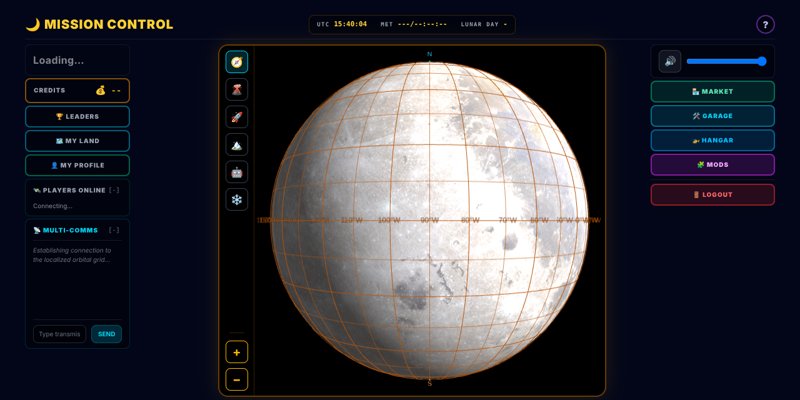
🌙 Visit the Mission Control (button, top right) to spin a real NASA image of the Moon — drag with a finger or mouse, or use the arrow keys.
🧩 New to Mods? to learn how to find, enable and manage community mods.
🗺️ LAND, MINERALS & SURVEYS
The Land screen (Mission Control, right column, above Market) opens on Your Parcels; the buttons along its top switch to Listings, Auctions, Surveying and the Registry without leaving the game. Tap any parcel to see its plat map and owners, and buy or bid right there if it's for sale or up for auction. A land grant is recorded automatically when you sign up (or sign in) through an invitation link. Full guide →
📜 The Land Registry records every parcel: its boundary, who owns the surface, who owns the minerals, and every sale or split.
🏞️ The first 100 players receive a grant of 10,000 acres. Land is bought and sold in credits, and can be subdivided.
🏷️ Listings: list a whole parcel at a price in credits for anyone to buy, or offer it to one player (to sell part of one, divide it in Surveying first). Once a buyer is found the registry admin approves the sale; only then do the land and the credits change hands. You can withdraw a listing until it is bought.
📐 Surveying: print a Land Survey of any parcel you own, or divide it (in two, or into a grid of equal pieces) or merge two of yours, then submit it to the registry for approval.
🔨 Land auctions: unclaimed land is auctioned in credits, and owners can auction their own parcels. Your leading bid is held; if someone outbids you it is refunded immediately. Each bid must beat the last by 5%. A bid in the last 5 minutes extends the auction by 5 minutes.
⛏️ Mineral rights can be sold separately from the surface. Whatever is found on a plot belongs to its mineral owner.
🛰️ Surveys: program rovers and drones to scan and probe the surface and beneath it for titanium, helium-3, thorium and water ice. Orbital scans give a rough guess, rovers give better numbers, and drilling gives measured results.
🚧 Owners set who may travel, survey or extract on their land. Entering without permission is logged, and the owner can warn, eject, ban and fine the trespasser. No one can destroy another player's vehicle or progress.
A mod is a small script made by another player (or by you) that adds something to your own screen: a line of text on the HUD, a pop-up message, or a cosmetic badge. Mods never change the game for anyone else, and they can't touch your account, credits, chat sending, or your rover's controls.
Step 1: Open the Mods page
Go to Mission Control and press the 🧩 MODS button in the top right. Opening the page loads the list of mods that come with the game from this site only, and nothing is turned on or run by that. Mods you added by URL are contacted only when you press SCAN.
Step 2: Find mods
Find Hello, Mark and Speedometer, two small example mods that come with the game, in the list. Press SCAN to look again and to check mods you added by URL.
To use a mod from somewhere else, paste the link to its manifest.json into the box and press ADD BY URL. The link must start with https://.
Scan, Add by URL and Review & enable contact the mod's host, so that host can see your IP address and the time. The mods that come with the game are loaded from this site.
Step 3: Read a mod card
Each mod gets a card showing:
Its name, and made by with the author's name, @handle and version. Authors fill these in themselves, so nobody has verified them.
A short description, where the mod comes from, and the permissions it wants.
A status badge: OFF, STARTING, RUNNING, CHANGED - RE-APPROVE (the author updated it, so it needs your OK again) or MISSING (it's no longer in this version of the game).
Step 4: Review & enable
Press REVIEW & ENABLE on a card. A trust prompt shows who made the mod, where it comes from, a code fingerprint, and exactly what it asks to do:
frame: see your callsign, vehicle, location and position about 20 times a second.
chat: read incoming chat messages. Mods can never send chat.
hud: show short lines of text on your HUD and the occasional pop-up.
cosmetic: offer badges you can wear.
storage: keep a tiny amount of its own data in your browser.
If you're happy with it, press I TRUST THIS MOD, RUN IT. Otherwise press CANCEL and nothing runs. If the author changes the mod later, you'll be asked again before the new version runs.
Step 5: See it in game
Head back out to drive or fly. Lines from your mods show up on the HUD, each tagged with the author's @handle so you always know which mod put it there. Pop-ups from mods start with [mod: name], so a mod can't pretend to be the game. Mods you've enabled start again by themselves next time you play.
Step 6: Wear a cosmetic
If a running mod offers a badge, it appears under Cosmetics from mods at the bottom of the Mods page. Tap it to wear it on your HUD, and tap it again to take it off. For now, only you can see it.
Step 7: Turn mods off or remove them
TURN OFF on a card stops that mod.
STOP ALL stops every running mod at once.
REMOVE forgets a mod you added by URL (or one marked MISSING), along with its saved settings.
The game also stops a mod by itself if it misbehaves, for example if it freezes, floods the game with messages, or keeps hitting errors. The reason appears in the status line under the buttons.
Stay safe
Every mod runs in its own sandbox, but that protection is best-effort, not a guarantee. Only enable mods from people you trust, and remember that author names aren't verified.
Make your own
Want to leave your own mark? You can build a mod with nothing but a text editor and a free web page to host two small files. for a copy-and-paste starter and a step-by-step guide.
You can make a mod without installing anything and without the game's source code. All you need is a text editor (Notepad is fine) and a free place on the web to put two small files. Your mod is a tiny script that adds things to the screen of whoever chooses to run it.
What a mod can and can't do
Can
Show up to 3 short lines on the HUD
Pop up a short message (a toast)
Offer up to 4 cosmetic badges to wear
Remember a tiny bit of data in the browser
Read your callsign, vehicle and position, and incoming chat, if you ask for those permissions
Can't
Send chat
Move or control the rover
Touch credits, purchases or accounts
Use the network or load other files
Change anything on anyone else's screen
A mod runs on the screen of the player who chose to run it, and nowhere else.
Worked example: Speedometer
Before you write your own, look at a finished one. Speedometer comes with the game. It shows how fast you're going and your top speed on the HUD, remembers your record between visits, and cheers when you beat it. It asks for only three permissions: frame, hud and storage.
Try it now
Press the button below to open the Mods page.
Find the Speedometer card and press REVIEW & ENABLE, then I TRUST THIS MOD, RUN IT.
Go out and drive or fly. Two new lines appear on your HUD: your speed and your best.
The code
This is the whole mod: the same two files as in Step 1, just doing something different.
manifest.json
Loading...
mod.js
Loading...
How it works
The numbers match the numbered comments in mod.js.
Load the record.LL.storage.get('best') gives back text, or nothing the first time, so Number(... || 0) turns it into a number that starts at 0.
Show something right away.LL.onHudReady runs once when the HUD is up, so your best speed appears before you start moving.
Listen to frames.LL.onFrame runs about 20 times a second. f.pos is where you are as [x, y, z] and f.t is the time in milliseconds. The mod keeps the previous frame in last so it can compare the two.
Work out the speed. Speed is distance divided by time. Jumps over 50 metres, such as leaving the garage, are skipped. Each new reading only counts for 20%, which smooths out the flicker.
Celebrate a record. The pop-up waits at least 10 seconds between cheers (the game allows one every 3 seconds, but more would be annoying). The record is saved at most once a second, because saving on every frame would be wasteful.
Draw the HUD. The game shows at most 4 updates a second per HUD line and ignores the rest, so the mod only redraws every 250 ms. Calling setWidget again with the same id ('speed' or 'best') updates that line instead of adding a new one. The icon changes for the drone, and the speed turns red when you're close to your record.
Remix it
Copy both files and try one of these changes. They get harder as you go down.
Show km/h instead: multiply the speed by 3.6 and change the label.
Change the colors, or pick a different icon for fast speeds (try '\u{1F680}', a rocket).
Add a third HUD line with your total distance. Hint: the trip meter in the Step 1 starter already does this.
Reset the record when someone types reset speed in chat. You'll need LL.onChatMessage and the chat permission in your manifest.
Your remix is a new mod, so give it your own id, name, author and handle, and credit the original in your description. Then follow Steps 2 to 4 below to put it online and share it.
Step 1: Make two files
Make a new folder on your computer and put two plain-text files in it. Give them exactly these names: manifest.json (the name tag: who you are and what the mod needs) and mod.js (the code). Copy each block below into the matching file, then change the name, author and handle to yours.
manifest.json
mod.js
This starter greets you by callsign, shows a trip meter on the HUD, pops up one message, offers one badge, and counts how many times it has started. It works as is.
Manifest cheat sheet
Field
What it is
apiVersion
Always 1.
id
Your mod's short code name. 3-40 characters: a-z, 0-9 and dashes.
name
The title players see. Up to 40 characters.
version
Like 1.0.0. Bump it when you change something.
author
Your name, shown as "made by". Up to 60 characters.
handle
Your nickname, 2-24 letters, digits or _. Shown as @handle next to everything your mod shows.
description
One or two sentences, up to 200 characters.
entry
The code file, next to the manifest. Normally mod.js.
permissions
What you need, from: frame (callsign, vehicle, position), chat (read chat), hud (HUD lines and toasts), cosmetic (badges), storage (tiny saved data).
Limits: manifest up to 8 KB, script up to 64 KB, 3 HUD lines, 4 badges, and 16 saved values of up to 512 characters each. Only ask for the permissions you really use: players see the list before they say yes.
Code cheat sheet
Your code gets one helper called LL. A call that needs a permission you didn't list does nothing.
Call
What it does
Needs
LL.onHudReady(fn)
Runs once when the HUD is up. You get { callsign }.
nothing
LL.onFrame(fn)
Runs about 20 times a second with { fps, callsign, vehicle, location, pos }.
frame
LL.onChatMessage(fn)
Runs for each incoming chat line: { name, text }. Read only.
chat
LL.hud.setWidget(id, { text, icon, color })
Shows or updates a HUD line. Text up to 64 characters, color like #67e8f9.
hud
LL.hud.removeWidget(id)
Takes that HUD line away.
hud
LL.toast(text)
Pop-up message, up to 100 characters, one every 3 seconds.
hud
LL.registerCosmetic({ id, label, emoji, color })
Adds a badge players can wear.
cosmetic
LL.storage.get(key) / set(key, value)
Saves and reads short text in the browser.
storage
LL.log(...)
Writes a line to the browser console, handy for testing.
nothing
There is no window, document or fetch in a mod. That is on purpose.
Each hook takes one handler. Setting it again replaces the old one.
If a hook throws errors too often, the game stops your mod.
A mod can't slow the game down, because it runs in its own sandbox. But a mod that freezes or floods the game gets stopped.
Step 2: Put it online
To load a mod, the game fetches your two files from a web address. That address needs three things:
It starts with https://. (While testing on your own computer, http://localhost also works.)
manifest.json and mod.js sit in the same folder at that address.
The host allows other websites to read the files. Technically that means it sends the header Access-Control-Allow-Origin: *. Most "raw file" hosts do.
Easiest: a GitHub Gist
Make a free GitHub account, then go to gist.github.com.
Add two files named exactly manifest.json and mod.js and paste in your code.
Press Create public gist.
Your manifest link looks like this, with your own user name and gist id: https://gist.githubusercontent.com/<user>/<gist-id>/raw/manifest.json. Leaving out the long revision code after raw/ means the link always serves your newest version. You can also open the file on the Gist page and press Raw to see the link.
Also fine
A public GitHub repository: put both files in a folder and use the raw.githubusercontent.com address of manifest.json.
GitHub Pages, or any other free static host, as long as it sends the cross-origin header above.
Raw hosts can keep an old copy for a few minutes, so a fresh edit may take a little while to show up.
Step 3: Try it yourself
Open the 🧩 MODS page (Mission Control, top right).
Paste your manifest.json link into the box and press ADD BY URL.
Press REVIEW & ENABLE. Check that the trust prompt shows your name, your @handle and the permissions you asked for.
Go out and drive. Your HUD lines should appear, tagged with your @handle.
Changed a file? Press SCAN to read it again. Every edit makes the card say CHANGED - RE-APPROVE, even for you as the author. That is normal: approval is tied to the exact code, so you approve each new version.
Step 4: Share it
Post your manifest.json link anywhere: chat, Discord, a forum.
Players paste it into ADD BY URL. They see the trust prompt every time and choose for themselves. A player can add up to 12 mod links and run up to 8 mods at once.
To update, edit your files. Players will see CHANGED - RE-APPROVE and must approve the new version before it runs.
Your name and handle are self-declared and nobody verifies them. Be honest and don't pretend to be someone else. If you remix someone else's mod, give the original author credit in your description.
Mods you share get no server powers, and a badge is only visible to the player wearing it, for now.
Step 5: Submit it for review (optional)
Sharing your link yourself (Step 4) already works, no review needed. If you'd also like it considered for an official listing one day, you can submit it below for a moderator to review.
This is the first step of a planned creator marketplace. Monetization isn't live yet: no money changes hands. The suggested price below is just to register interest for when real payouts ship - nothing is charged and nothing is unlocked by setting one.
Something not working?
"Mod URLs must be https": use a link that starts with https://. A file:// link or a file on your own computer won't work.
"Failed to fetch" or a cross-origin (CORS) error: the host doesn't allow other sites to read the files. Use a Gist or raw.githubusercontent.com link, or a host that sends Access-Control-Allow-Origin: *.
"HTTP 404": the link or a file name is wrong. Check that the entry in your manifest matches the code file's name and that both files are in the same folder.
Manifest problems (for example "id must be 3-40 chars"): the message says which field to fix. Make sure the JSON is valid, with quotes and commas in the right places.
"File larger than 64KB limit" (or 8 KB for the manifest): make the file smaller.
Nothing on screen: check that the mod is RUNNING and that you listed the permission each call needs, for example hud for HUD lines.
Your mod got stopped: the game stops mods that freeze, flood it with messages or keep throwing errors. The reason appears in the status line under the buttons on the Mods page.
"Mods need a secure context": open the game over https:// or localhost.
Be a good mod author
Never ask for a permission you don't need: players see the list and may say no. The sandbox protects players, but they trust your mod by its exact code, so don't change what a mod does in a sneaky way. For every detail, see the full modding guide in the game's source, docs/MODDING.md. You don't need it to follow this page.
🌙 MISSION CONTROL
UTC--:--:--MET---/--:--:--LUNAR DAY-
🛰️ Players Online
Connecting...
📡 MULTI-COMMS
Establishing connection to the localized orbital grid...
🎯 Go To
🗺️ LAND
Your parcels
You don't own any land yet.
Open auctions
🏆 LEADERBOARD
All-time top 10 scores across every player who has ever played.
Loading...
🛰️ ROVER UPGRADE BLUEPRINT
CHROMA PACK UNLOCK
💰 500 Credits
Your balance: -- credits
🛰️ SECURE SATELLITE TRANSACTION
Credits Store
Your balance: -- credits
Payments are processed securely by Stripe. You'll be redirected to complete checkout.
✨💎✨
TRANSACTION COMPLETE!
The satellite network has successfully transmitted your premium asset schematics. Open the garage to equip your new tech.
📡 Establishing Uplink...
🛰️ Players Online
Connecting...
📡 SUBSYSTEM: MULTI-COMMS
Establishing connection to the localized orbital grid...